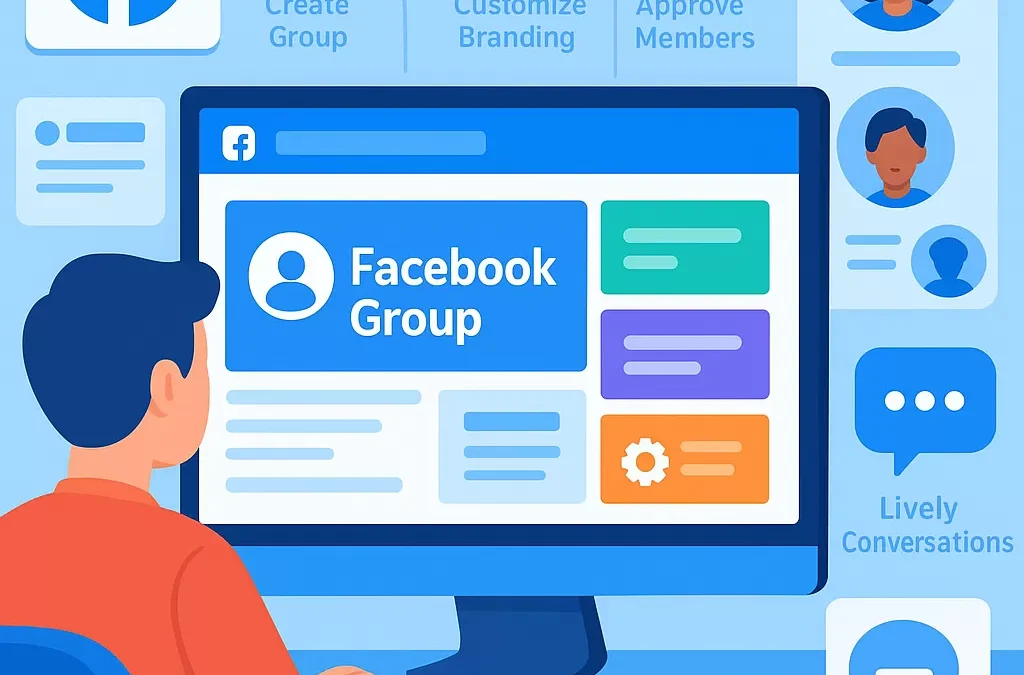
How do you create and set up a successful Facebook group from scratch?
To create and set up a successful Facebook group from scratch, start by defining a clear purpose, choosing the right privacy setting, and inviting members who align with your group’s goals. Maintain engagement with valuable content and enforce group rules to foster a positive, active community. Here’s how to approach each step for optimal results.
—
What is a Facebook Group?
A **Facebook group** is a community feature on the Facebook platform where users with shared interests can connect, collaborate, and communicate. Unlike Facebook Pages, which are typically for businesses or public figures, groups are designed for more interactive discussions and member-driven content.
—
How Do You Start and Set Up a Facebook Group from the Beginning?
Step-by-Step Guide to Creating a Facebook Group
1. **Log into Facebook** – Use your personal profile.
2. **Access the Groups Section** – Click the “Groups” icon from the left menu or the plus (“+”) sign, then choose “Group.”
3. **Fill Out Group Details**:
– **Name**: Choose a unique, descriptive group name.
– **Privacy Setting**: Select Public, Private (Visible), or Private (Hidden).
– **Description**: Clearly explain the group’s mission and guidelines.
– **Cover Photo**: Upload a relevant image to make your group visually appealing.
4. **Set Up Initial Settings**:
– **Customize group URL** for easy sharing.
– **Add tags** for discoverability.
– **Write welcome post** to greet new members.
5. **Invite Initial Members**: Start with friends or connections who fit your target audience.
6. **Post Rules and Guidelines**: Establish community rules to guide behavior.
7. **Enable Features**: Activate features like Rooms, Events, or Polls depending on your group’s goals.
—
[Definition Box] What Makes a Facebook Group “Successful”?
A successful Facebook group is:
– **Active**: Frequent, valuable discussions.
– **Targeted**: Members share a common interest or goal.
– **Well-managed**: Clear rules, engaged moderators, and minimal spam.
– **Growing**: Continually attracting the right members.
—
Why Do People Create Facebook Groups?
People create Facebook groups to:
– Build communities
– Share knowledge
– Organize events or discussions
– Provide customer support (for brands)
– Network with like-minded individuals
Entities related to Facebook groups include **Facebook Page**, **Facebook Events**, **Messenger Rooms**, **Admins**, **Moderators**, and **Meta (parent company of Facebook)**.
—
How Do You Set Up Facebook Group Settings for Success?
What Group Privacy Settings Should I Choose?
| Option | Description | Best For |
|————-|——————————-|—————————————|
| Public | Anyone can see and join | Open-interest or promotional groups |
| Private | Only members see posts | Support, niche, or exclusive groups |
| Hidden | Only invited users find group | Secret, invitation-only communities |
Selecting the right privacy level protects your community and aligns with your purpose.
—
How Do You Create Group Rules and Moderation Strategies?
– **Draft clear rules** (e.g., no spam, respectful comments).
– **Pin rules and guidelines** to the top of the group.
– **Assign moderators** to help enforce policies and welcome new members.
– Use Facebook’s **Admin Assist** tools for automated moderation, like content approvals and keyword filtering.
—
How Do You Grow and Engage Your Facebook Group?
Tips to Attract Members and Build Community
1. **Invite friends and relevant connections**.
2. **Promote the group** through your Facebook Page, website, and email list.
3. **Use group tags and search keywords** to make it discoverable.
4. **Encourage member referrals** with incentives or welcome posts.
How Can You Keep Group Members Active?
– Post regular, valuable content (e.g., questions, polls, resources)
– Celebrate milestones (first 100 members, anniversaries)
– Spotlight members or share success stories
– Foster discussions by asking open-ended questions
– Respond promptly to member comments and queries
What Content Works Best in Facebook Groups?
– Live videos, Q&A sessions
– Industry news and updates
– Exclusive resources or guides
– Event announcements and reminders
– Community challenges or contests
—
How Can You Monetize or Leverage a Facebook Group?
Facebook groups can support various goals:
– Lead generation for your business
– Driving website traffic
– Growing an email list
– Offering paid memberships or courses
– Running affiliate promotions (following Facebook’s terms)
—
Frequently Asked Questions: Facebook Group Setup and Success
1. What is the difference between a Facebook Group and a Facebook Page?
A Facebook Group is a private or public community for discussion and member interaction, while a Facebook Page is a public profile for businesses, brands, or public figures to broadcast updates.
—
2. How do I attract new members to my group?
Promote your group link through your social media channels, email newsletters, and directly invite people who fit the group’s interests. Encourage members to refer their friends.
—
3. Should I make my group public or private?
Choose public for wider reach and discovery; opt for private if you want controlled, exclusive discussions. Most niche or support communities work best as private groups.
—
4. What are the key roles in Facebook Groups?
– **Admin**: Full control over group settings, rules, and moderation.
– **Moderator**: Helps manage content and approve posts.
– **Member**: Regular participant in discussions.
—
5. How do I moderate my Facebook Group effectively?
Set and communicate clear rules, actively monitor posts, appoint trustworthy moderators, and use Facebook’s built-in moderation tools like Admin Assist.
—
6. How often should I post in my Facebook Group?
Aim for at least 3–5 posts per week to maintain engagement, but prioritize quality over quantity.
—
7. Can I change my group’s privacy settings later?
You can switch a public group to private, but not vice versa. Group privacy settings become more restrictive to protect member privacy.
—
Summary Table: Key Steps to a Successful Facebook Group
| Step | Action | Importance |
|————————|———————————————|—————————–|
| Define Purpose | Set clear goals and target audience | Foundation for success |
| Set Up Group | Use Facebook tools and complete details | Professional appearance |
| Create Rules | Promote positive, respectful interactions | Healthy group culture |
| Promote Group | Share across platforms and networks | Organic growth |
| Manage & Moderate | Assign admins/moderators, enforce rules | Sustainability |
| Engage Members | Post valuable content, foster discussions | Active, thriving community |
—
In Summary: What’s the Best Way to Set Up a Facebook Group for Long-Term Success?
Start with clear goals, choose the right privacy setting, and focus on community engagement. Consistent moderation, valuable content, and applying feedback from your members are essential. Leverage Facebook’s built-in tools and regularly monitor group health to ensure sustainable growth and long-term success.
—
“`
Leave a Reply