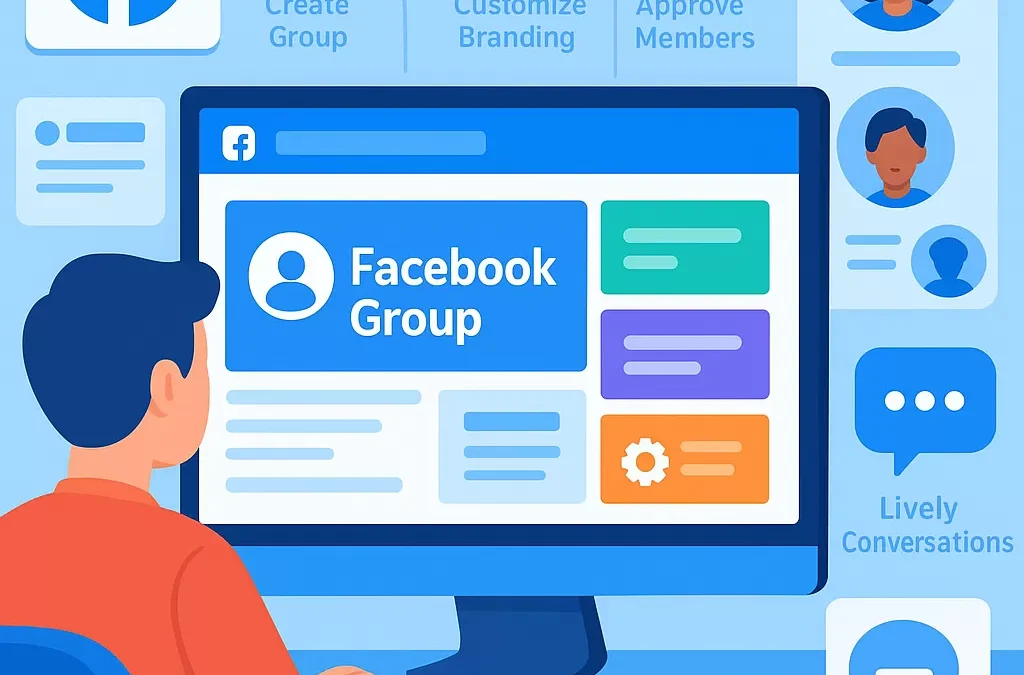
How Do You Create and Set Up a Successful Facebook Group from Scratch?
To create and set up a successful Facebook group from scratch, start by defining your group’s purpose, target audience, and clear rules, then use Facebook’s group creation tool to launch, set up privacy settings, and begin inviting and engaging your ideal members. Success comes from fostering active conversations, providing value, and moderating your community to keep it welcoming and relevant.
—
What Is a Facebook Group and Why Start One?
> **Definition:**
> A Facebook Group is an online community space on Facebook where people with shared interests can connect, interact, share content, and build relationships. Facebook groups can be public, private, or hidden.
A Facebook group lets you gather people around a specific topic—such as hobbies, support, learning, business, or local interests—and build ongoing conversations that go beyond what Facebook Pages offer. Starting your own group can help you grow a community, build authority, or drive your business goals.
—
Step-by-Step: How Do You Create a Facebook Group from Scratch?
Here’s the process simplified:
1. **Decide on Your Group’s Purpose and Niche**
2. **Access Facebook’s Group Creation Tool**
3. **Name Your Group and Add Description**
4. **Set Privacy: Public or Private**
5. **Customize Group Settings**
6. **Invite Your First Members**
7. **Create a Welcome Post and Starter Content**
8. **Set Roles: Admins and Moderators**
9. **Establish Rules and Guidelines**
10. **Promote Your Group and Grow Your Community**
—
Table: Facebook Group Creation Steps
| Step | Action | Why It Matters |
|—————–|——————————————|————————————|
| 1. Purpose | Define topic, audience & goals | Targeted group attracts right members |
| 2. Creation | Use Facebook’s “Create Group” tool | Sets up group space |
| 3. Naming | Choose clear, keyword-rich group name | Easier to find and understand |
| 4. Privacy | Select ‘Public’ or ‘Private’ | Controls who can join and view |
| 5. Settings | Add description, rules, cover image, etc | Creates welcoming environment |
| 6. Invitation | Invite friends, network, core members | Kickstarts engagement |
| 7. Content | Post welcome message, starter threads | Sets group tone, encourages posting|
| 8. Roles | Assign admins/moderators | Helps manage and moderate |
| 9. Guidelines | Publish clear rules | Maintains group quality |
| 10. Promotion | Share group link across platforms | Grows active, relevant membership |
—
How Do You Name and Describe a Facebook Group for Success?
**Question Variation:**
– What’s the best way to name a Facebook group?
– How should I describe my Facebook group to attract the right people?
Naming Tips
– Use clear, descriptive, and keyword-focused names (e.g., “Beginner Vegetable Gardening Tips” not just “Garden Club”).
– Include your main topic and target audience if possible.
Description Tips
– In 2-3 sentences, explain what the group is about.
– Mention who it’s for and the main benefits of joining.
– Include keywords and related entities (hobbies, business type, local area).
—
What Privacy Setting Should a New Facebook Group Use?
**Question Variation:**
– Should my group be public or private?
– What are the differences between public and private Facebook groups?
Group Privacy Options
| Setting | Who Can Join/View | Best For |
|———-|————————|—————————————————-|
| Public | Anyone; posts are visible to all Facebook users | Open communities, broad reach |
| Private | Members only; requires approval or invite | Interest-based, local, or exclusive topics |
**Tip:**
Most successful niche communities start as private groups to build trust and a sense of exclusivity.
—
How Do You Grow and Engage a Facebook Group?
**Question Variation:**
– How do I get members to join my Facebook group?
– How do I keep my Facebook group active?
Ways to Grow Your Facebook Group
1. **Invite Personal Network:** Ask friends, colleagues, and contacts.
2. **Share on Facebook Page:** Link your group from your business or personal page.
3. **Promote in Related Communities:** Add value in related groups and share your group when appropriate.
4. **Add to Email Signature and Website:** Include a join link wherever your audience interacts with you.
5. **Run Group Challenges or Events:** Special activities draw interest and create buzz.
Engagement Strategies
– Post regular, valuable content (questions, tips, resources)
– Encourage member introductions and discussions
– Use polls, live videos, and events
– Recognize top contributors
– Quickly address questions and moderate spam
—
What Rules and Moderation Should Be in Place?
**Question Variation:**
– What rules should I set for a Facebook group?
– How do I moderate a new Facebook community?
Common Group Rules (Sample List)
– Be respectful and courteous to all members.
– No self-promotion or spam.
– Stay on topic.
– No hate speech or harassment.
– Report issues to admins or moderators.
**Moderation Tips:**
– Assign trusted admins/moderators early on.
– Use Facebook’s built-in moderation tools (e.g., keyword alerts).
– Act promptly on flagged posts and disputes.
—
How Do You Measure Facebook Group Success?
**Question Variation:**
– How do I know if my Facebook group is successful?
– What metrics should I track in a Facebook group?
Key Group Success Metrics
| Metric | What It Means |
|—————————|—————————————————-|
| Member Growth | Are new people joining consistently? |
| Active Members | Are people posting, commenting, liking? |
| Post Engagement | Are posts getting reactions and comments? |
| Quality of Conversations | Are discussions on-topic and valuable? |
| Member Retention | Are people staying or dropping off? |
Monitor these metrics in Facebook’s Group Insights dashboard to guide your growth and engagement strategy.
—
Facebook Group Success Checklist
– [x] Clear group purpose and niche
– [x] Compelling group name and description
– [x] Chosen appropriate privacy setting
– [x] Rules and guidelines published
– [x] Initial members invited
– [x] Regular content posted
– [x] Active moderation in place
– [x] Growth and engagement tracked
—
FAQ: Frequently Asked Questions About Facebook Group Creation
1. Can anyone create a Facebook group?
**Yes.** Any Facebook user can create a group using the “Groups” section on the platform. You don’t need a business page or prior experience.
2. How many admins or moderators should I have?
**Start with 1-2 trusted admins** (yourself and a reliable partner) for small groups. Add moderators as membership grows to help manage content and handle issues.
3. Is it better to start public or private?
**Private groups are recommended** for most niches, as they create a more focused and safe environment. Public groups are best for general or awareness-based communities.
4. How do I prevent spam and low-quality posts?
**Set clear rules, enable post-approval for new members, and use Facebook’s moderation tools**. Remove spam promptly and educate the group about best practices.
5. How can I make my group stand out?
**Offer unique value**—such as expert tips, exclusive resources, regular events, or a lively, supportive culture. Use a customized cover photo and clear branding.
6. Can I link my group to a Facebook Page or Business?
**Yes!** Linking your group to your Page makes promotion and management easier, and allows your business to create events, moderate, and build connections within the group.
7. What should I post first in a new group?
**A welcome post introducing yourself, the purpose of the group, and how members can get involved.** Pin this post to the top for high visibility.
—
Conclusion: How Can You Set Up and Maintain a Thriving Facebook Group?
Launching a successful Facebook group starts with a clear purpose, the right setup, and consistent active moderation. By nurturing member engagement, listening to feedback, and continuously providing value, your group can become a vibrant, go-to community for your niche. Stay focused, adaptable, and people-centered for lasting success.
—
**Related Entities:** Facebook, Facebook Groups, Social Media Management, Community Guidelines, Group Admin, Online Community Building, Engagement Metrics
**Related Concepts:** Community Moderation, Content Strategy, Member Onboarding, Digital Networking, Privacy Settings, Social Engagement
**Semantic Topics:** Managing Facebook Groups, Building Community Online, Social Media Strategy, Content Creation, Member Retention
—
“`
Leave a Reply